Start with the college roster
Open your dynasty roster in EA Sports College Football 27 and make sure the player names, position, class, overall and desired attribute columns are visible. A high-resolution screenshot is easiest to review; an MP4 recording can help when you need to capture multiple screens.
Use a direct screen capture when you can. Avoid compressing the image, hiding part of the table with notifications, or quickly scrolling during a video.
See the DraftLab scouting dashboard
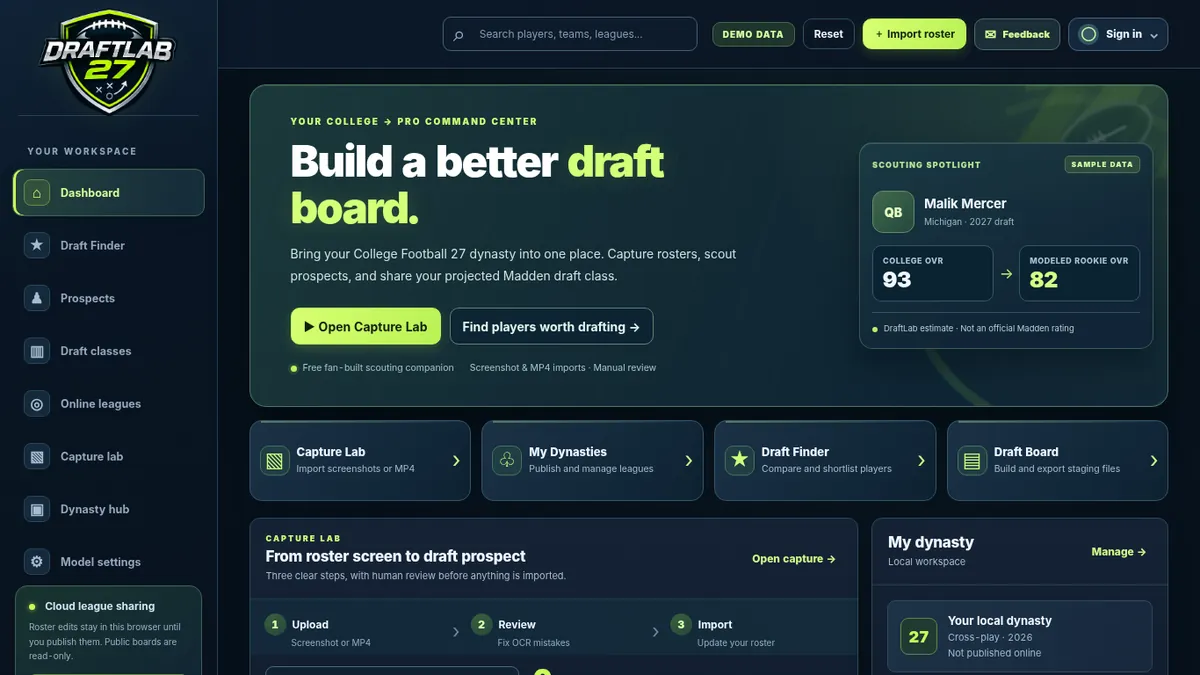
When you start, you can explore sample players; once you import your own roster, DraftLab uses your reviewed values. For a full breakdown of the scouting controls, visit the draft projection and Draft Finder guide.
Capture, verify, and import players
On DraftLab, choose Capture Lab from the dashboard and upload a roster screenshot or MP4.
The beta recognition system identifies roster rows and attempts to read names, positions, years, overall ratings and visible stats. Check every highlighted or disputed value against the game screen. NIL icons or small digits may cause errors.
Approve All is available for completed review lists, or approve individual players and import only those approved. Unapproved rows remain in the current browser review session.
Use Draft Finder to compare prospects, set shortlists, and review experimental Madden rookie projections.
Worked example: one fictional quarterback
This demo illustrates how one imported player might appear: the College Football rating is kept separate from the estimated rookie number. Actual output depends on the available attributes, position, model settings and your verified data. A projected draft year does not confirm that a player declared for the NFL draft.
For a fictional class, build a shortlist in Draft Finder, then open Draft classes in the app. The Madden 27 manual entry guide explains the export and editing steps.
What you can and cannot transfer
DraftLab is not connected to EA accounts or game servers. It is a scouting and planning companion, not a native College Football 27-to-Madden 27 player transfer. Exported CSV or JSON data is for your own analysis and is not a validated in-game Madden draft-class file.
DraftLab estimates potential Madden rookie ratings with experimental rules. They are not official ratings and may differ from any player's real attributes in either game.
Get started free
DraftLab 27 currently offers its core tools free in beta. Google Sign-In is optional; use a guest workspace or save a private workspace after signing in. You can send corrections with a screenshot through the Feedback button in the app.